
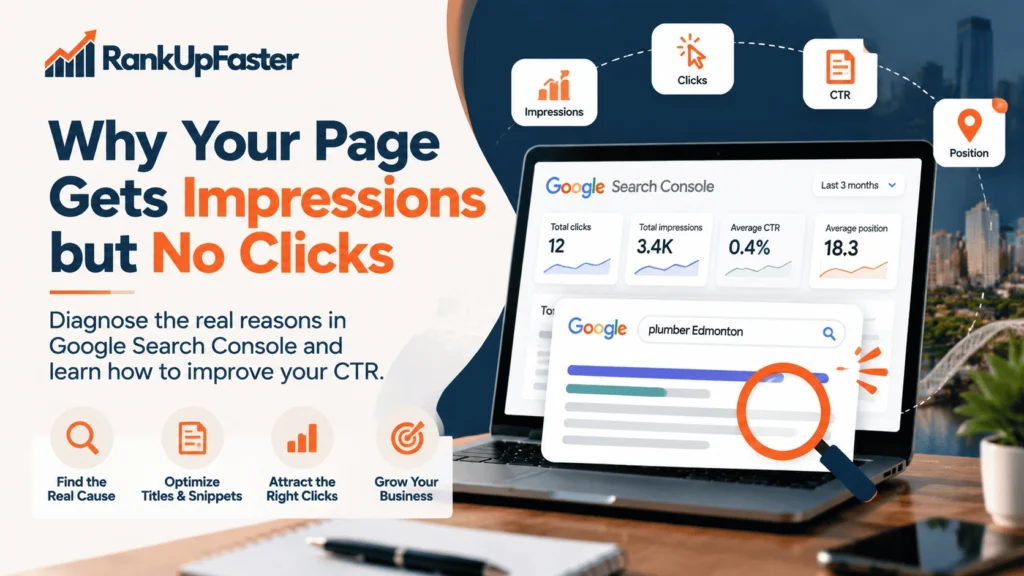
Why Your Page Gets Impressions but No Clicks
Visibility Is Not the Same as Traffic
A page can appear in Google Search thousands of times and still receive very few clicks. When Google Search Console shows impressions but no clicks, the cause may involve the queries triggering your page, its average position, the title and snippet people see, or the layout of the search results.
The right solution depends on the data. Before rewriting a page, check which searches generate impressions, how your page performs for those searches, and whether the displayed result gives users a relevant reason to visit.
In Google Search Console, impressions count appearances according to Google’s reporting rules, clicks count clicks from Google Search to your site, and click-through rate (CTR) is clicks divided by impressions, expressed as a percentage.
For example, a hypothetical page with 2,000 impressions and 10 clicks has a CTR of 0.5%. These figures are illustrative, not RankUpFaster client data.
Possible causes include low average positions, irrelevant or broad queries, a vague search-result title, mismatched search intent, and prominent search features. Low CTR does not automatically mean the content is poor. Diagnose the data before changing the page.
Check the Data Before Changing the Page
Start with the Google Search Console Performance report. Confirm the report is showing the correct URL and an appropriate date range. Compare periods when useful, but account for seasonality and changing search demand.
- Correct page: Apply a page filter and confirm the URL is the intended page.
- Date range: Avoid conclusions based on an unusually short period.
- Country: Check whether impressions come from the market you serve. For an Edmonton business, review Canadian performance where relevant.
- Device: Compare mobile and desktop when there is enough data.
- Search type: Confirm whether the report covers Web, Image, Video, News, or another search type.
- Queries: Review the actual searches generating impressions.
- Page totals: Compare aggregate page performance with individual query performance.
- Trend: Determine whether low CTR is new or longstanding.
Page-level averages can hide important differences. A page might earn clicks for a specific service query while receiving many impressions for broad informational searches. Those patterns require different responses.
Before changing anything, verify:
- Correct URL and date range.
- Relevant country, device, and search type.
- Query-level performance as well as page totals.
- Average position and CTR trends.
- Whether there is enough data to support a decision.
Google explains Performance report metrics and dimensions in its Search Console Performance report documentation. Anonymized queries and reporting limits mean visible query rows may not include every search.
Your Page May Rank for the Wrong Queries
Google may show a page for broad, related, ambiguous, branded, or unexpected searches. An impression means the result was counted as appearing; it does not prove that the searcher wanted what your page offers.
For example, a website offering professional SEO services might receive impressions for “what is SEO,” “SEO course,” and “SEO agency.” Some searches may be relevant to the service page, while others reflect people who want to learn rather than hire a provider.
Separate Relevant and Irrelevant Search Queries
| Query category | What to investigate |
|---|---|
| Highly relevant | Does the page satisfy the searcher’s need clearly? |
| Related but broad | Is the query too general to attract qualified visitors? |
| Informational | Does the searcher want an explanation or tutorial? |
| Commercial or transactional | Is the searcher comparing providers or ready to take action? |
| Branded | Does the query relate to your business, product, or another brand? |
| Irrelevant | Is the page appearing for a topic it does not meaningfully address? |
| Non-local | Is the search outside your target market, or still relevant? |
Branded and non-local queries are not automatically bad. Their value depends on the business, audience, and page purpose. Prioritize queries that are relevant and useful to the business; do not target a keyword simply because it has many impressions.
Match the Page to Search Intent
Search intent is what someone is trying to accomplish. Informational searches seek knowledge; commercial searches compare options; transactional searches indicate a desire to act; navigational searches seek a particular website or brand.
A service page may receive impressions for informational queries without earning clicks because it does not look like the best answer. A blog post may be a poor match when the searcher wants to hire a provider. Review the queries and the pages currently appearing for them before deciding whether to adjust content, page type, or targeting.
Do not add every high-impression query to the page. Expand content only when it helps the intended audience and fits the page’s purpose.
Your Search Result May Not Match What Users Want
Even when a page appears for a relevant query, users must decide whether its search result deserves a click. The title link and snippet should make the page’s purpose clear and set accurate expectations.
Review Your SEO Title
A useful SEO title should be relevant to the target query, clear, specific, accurate, and written for the intended audience. Include the primary keyword when it fits naturally, but remember that keyword insertion alone does not guarantee a CTR improvement.
Google can generate title links using the HTML title element, prominent headings, and other page text. The title shown in Search may differ from the title tag you wrote. Read Google’s title link guidance.
Illustrative before: “SEO Services”
Illustrative after: “On-Page SEO Services for Better Search Visibility”
The second example is more specific about the topic and intended value. The best title still depends on the actual page, query, and competing results.
Businesses that need help improving title tags, headings, internal links, and page relevance can explore RankUpFaster’s services. Confirm the dedicated On-Page SEO service URL before linking to it.
Improve Your Meta Description
A meta description can summarize a page and communicate its value. Make it specific, relevant, readable, accurate, and consistent with the content. Avoid vague claims or promises the page cannot support.
Illustrative meta description: Learn why your page gets impressions but no clicks in Google Search Console. Diagnose low CTR, improve SEO titles, and find the right next steps.
Google may generate a different snippet from page content depending on the query. Meta descriptions are not a direct ranking factor, and changing one does not guarantee more clicks. See Google’s snippet guidance.
Your Average Position May Limit Clicks
A page may receive impressions at lower positions without attracting many clicks. In that case, changing the title alone may not solve the underlying issue.
Google Search Console average position is an aggregate metric, not a fixed position for every query or user. Search results can vary by query, location, device, and context. Review Google’s explanation of Search Console metrics.
Segment queries into meaningful groups rather than comparing every page with one universal CTR benchmark.
| Pattern | Possible explanation | What to investigate |
|---|---|---|
| Relevant queries with stronger positions but low CTR | Title, snippet, intent, competition, or layout may matter | Inspect actual results and compare similar queries |
| Relevant queries at lower positions | Limited search visibility | Review content relevance, internal links, and SEO fundamentals |
| Broad queries with many impressions | Query intent may not match the page | Review query relevance and targeting |
| Very little data | Insufficient evidence | Continue monitoring before making major changes |
These are possible explanations, not guaranteed causes. Compare similar queries at comparable positions because branded, informational, and commercial searches can behave differently.
Search Features Can Affect Click Behaviour
Depending on the query, users may see Google Maps and local results, paid advertisements, AI Overviews, featured snippets, knowledge panels, video or image results, and other prominent organic listings. These features can change the visibility or context of a traditional organic result.
Do not assume a specific feature caused low CTR just because a page has impressions but no clicks. Inspect representative searches on relevant devices and in the target location where possible. Manual checks are snapshots because results can change by location, time, device, and context.
Google provides current information about AI features and your website. Established SEO fundamentals remain relevant, but the impact of any particular search feature depends on the query and results page.
A Step-by-Step Google Search Console Workflow
Step 1: Filter Google Search Console to the Correct Page
Open Google Search Console, select your property, and go to Performance → Search results. Choose a suitable date range and apply a page filter for the URL you want to investigate.
Step 2: Review Clicks, Impressions, CTR, and Average Position
Enable all four metrics and interpret them together. High impressions with a low average position may call for a different response from relevant queries with stronger positions but low CTR.
Step 3: Export the Queries
Open the Queries tab and export available query data for analysis in a spreadsheet. Exports may omit anonymized queries and be subject to reporting limits, so they are not a complete record of every search.
Step 4: Group Queries by Intent
Classify searches by relevance, intent, geography, branding, and likely customer needs. Prioritize queries that match the page and matter to the business.
Step 5: Compare Titles and Snippets With Actual Search Results
Inspect representative queries. Check whether the displayed result communicates the page’s purpose accurately and whether the title is vague, mismatched, or overly broad. Results may vary between users.
Step 6: Identify the Most Likely Cause
Distinguish between poor query relevance, an unclear title or snippet, lower average positions, mismatched intent, search-result features, and insufficient data. Treat each as a hypothesis to investigate.
Step 7: Make One Controlled Change
Where practical, change one meaningful element, such as a title tag, meta description, or clearly mismatched section. Record the original version and change date so you can interpret the results.
Step 8: Monitor the Results
Compare an appropriate period before and after the change. Account for seasonality, ranking fluctuations, query mix, and other changes. Evaluate relevant query groups as well as overall CTR, and do not treat a short-term change as proof of causation.
| Diagnostic finding | Possible explanation | Recommended next action |
|---|---|---|
| Impressions from irrelevant queries | Query and page mismatch | Review query relevance and page targeting |
| Relevant queries with a vague title | Result may not communicate value | Test a more specific, accurate title |
| Relevant queries at lower positions | Limited search visibility | Review intent, content, and SEO fundamentals |
| Strong position but unexpectedly low CTR | Snippet, intent, competition, or layout may matter | Inspect actual results and compare similar queries |
| Too little data | Insufficient evidence | Continue monitoring before major changes |
When to Update Content—and When Not To
Update Content When It Does Not Match Search Intent
Consider updating content when it fails to answer relevant questions, contains outdated information, lacks necessary detail, targets the wrong audience, or explains a service poorly. Improve usefulness and clarity without adding irrelevant keywords.
For businesses that need support with useful, search-intent-aligned website copy, explore RankUpFaster’s SEO content writing services in Edmonton. Choose a scope that fits the evidence, whether that means a small improvement, a content refresh, or more substantial rewriting.
Avoid Rewriting a Page Based on Impressions Alone
Impressions do not prove that content is poor. A page may appear because it ranks lower, matches broad queries, experiences changing search demand, or appears in a different search layout. Check query relevance, average position, title, snippet, and intent before deciding to rewrite.
Test Changes and Evaluate the Outcome
Record original performance, document each change, and monitor results over an appropriate period. Where possible, focus on relevant query groups instead of relying only on overall CTR. The goal is to attract the right visitors and support business outcomes, not maximize irrelevant clicks.
Use This Search Console Diagnostic Worksheet
Copy this worksheet into Google Sheets or Excel. The example data below is hypothetical and is not RankUpFaster client performance.
| Page URL | Search query | Search intent | Country / target location | Device | Impressions | Clicks | CTR | Average position | Likely issue | Recommended next action | Change made and review date |
|---|---|---|---|---|---|---|---|---|---|---|---|
| /seo-services/ | on-page seo services | Commercial | Canada | Mobile | 400 | 4 | 1% | 8.2 | CTR may be low for this query group | Inspect title, snippet, and comparable results | Record after change |
| /seo-services/ | what is on-page seo | Informational | Canada | Desktop | 600 | 0 | 0% | 18.5 | Intent may not match service page | Assess whether the query fits this page | Record after change |
| /seo-services/ | seo agency edmonton | Commercial / local | Canada | Mobile | 120 | 3 | 2.5% | 6.1 | Review local result context | Inspect displayed result and competitors | Record after change |
How to use the worksheet:
- Identify queries with meaningful impressions.
- Determine whether each query is relevant to the page.
- Compare CTR with similar queries at comparable positions.
- Record the likely cause without treating it as proven.
- Select one actionable improvement.
- Document the change and review the outcome after sufficient data accumulates.
For larger investigations, use separate worksheets by page or business goal. The sample rows are illustrations only, not real Search Console data.
Conclusion: Diagnose the Problem Before Rewriting Your Page
Impressions without clicks are a signal to investigate, not automatic proof that a page needs a complete rewrite. Check your Search Console data, evaluate query relevance, review titles and snippets, consider average position and search-result features, and make evidence-based changes.
If you need help identifying on-page SEO issues or improving website content, explore RankUpFaster’s SEO services or SEO content writing services in Edmonton. A focused review can help you decide which improvements deserve attention first.