
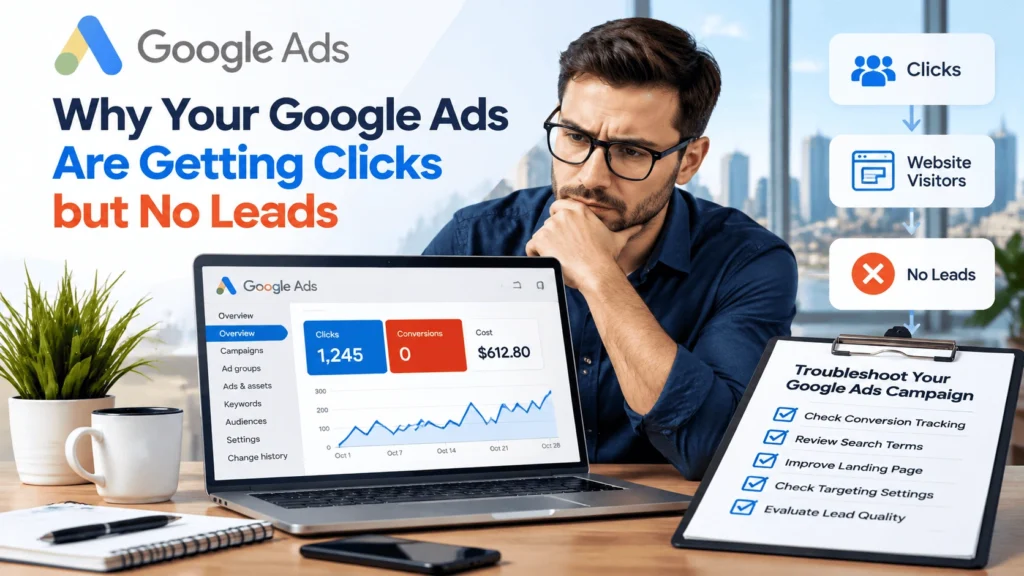
Why Your Google Ads Are Getting Clicks but No Leads
Paying for Google Ads traffic without receiving enough calls, form submissions, bookings, or sales enquiries is frustrating. Before increasing your budget or rebuilding a campaign, find out where the customer journey is breaking down. Google Ads can generate clicks without leads because of tracking errors, irrelevant search intent, a mismatched landing page, a difficult contact process, unsuitable targeting, or problems with lead quality and follow-up. The right fix depends on evidence from your account and your actual enquiries. Understanding why your Google Ads are getting clicks but no leads can help you identify wasted ad spend, improve landing pages, and turn more visitors into customers.
It helps to separate four stages. Traffic means people visit after clicking an ad. Enquiries are actions such as calls, completed forms, or bookings. Qualified leads meet your business’s criteria for a potential customer. Customers are the people who eventually buy. A problem at any stage can make a campaign look unsuccessful, and a reporting problem can hide results that are happening.
This guide walks through the checks in a practical order, starting with conversion measurement. The examples are hypothetical and are included to explain the process, not to represent RankUpFaster client results.
Check Conversion Tracking First
Conversion tracking should be one of your first checks when Google Ads is receiving clicks but reporting no leads. There are two different situations: genuine enquiries may be happening but not recorded, or tracking may be accurate and showing that visitors are not completing the intended action. These situations need different solutions.
Confirm That the Right Lead Actions Are Measured
Review the conversion actions configured in Google Ads. Depending on your business, useful actions may include completed enquiry forms, calls from ads, calls made after a website visit, appointment bookings, or another action that indicates real interest.
A page view, button click, or form start is not necessarily a completed lead. If all these actions are counted as leads, the account may overstate performance. If completed forms or meaningful calls are missing from the setup, it may understate performance. Where available, review which actions are marked Primary for campaign optimisation and which are Secondary for observation. Choose this based on your business objective and account setup, not simply because an action is easy to track.
Test the Full Conversion Journey
- Open the landing page as a potential customer would, including on a mobile device if mobile traffic matters.
- Complete a controlled test enquiry using an agreed test process. Avoid generating unnecessary real conversions that could distort reports.
- Confirm that the form displays the expected confirmation or thank-you message.
- Check that the enquiry reaches the correct inbox, customer relationship management (CRM) system, or booking platform.
- Use your configured diagnostics to confirm that the relevant conversion event is recorded.
- If calls are important, test the click-to-call link on a compatible phone and review call reporting settings and any minimum call-length threshold.
A form can appear to work while notifications are being sent to an old address. Similarly, a phone button may open the dialler but still not be measured as a conversion. Test the entire journey rather than checking only the page design.
Check for Missing or Duplicate Events
Broken tags, consent settings, website updates, redirects, event configuration, duplicate tags, and cross-domain journeys can all affect measurement. Use Google Tag Assistant and the conversion diagnostics available in Google Ads. If Google Analytics is part of your setup, check that events and account links are configured as intended. The precise steps depend on whether tracking is installed directly, through Google Tag Manager, through an analytics import, or through another integration.
Do not add another tag blindly. First identify what is already installed and whether more than one system is counting the same action. Google Ads reporting can also take time to update, so compare dates carefully and allow for processing delays. The principle is simple: confirm that leads can be measured accurately before deciding that the campaign itself is failing.
Check Keyword and Search-Term Relevance
Even correctly tracked ads can attract visitors who are not looking for the service you sell. The search terms report helps you understand the actual searches that triggered your ads. Your keywords describe what you are targeting; search terms show the queries reported by Google that matched to those keywords. Not every query is necessarily shown in the report, but the available data can still reveal useful patterns.
Review Actual Search Terms
Look for searches that are unrelated to your offer, focused on free information when the campaign is intended to generate paid-service enquiries, seeking jobs or training, asking for a service you do not provide, or coming from locations you cannot serve.
Hypothetical example: an Edmonton web design company may discover clicks from searches such as “free website building tutorial” while its campaign is designed to attract businesses ready to hire a designer. Those searches may be less relevant to that offer. An HVAC company might instead find queries about appliance parts it does not sell. Check the context before deciding that a term is wasted spend.
Use Negative Keywords Carefully
Negative keywords can prevent ads from showing for searches that are clearly irrelevant to your business. Review the actual search terms first, then decide which words or phrases should be excluded. Negative keyword matching does not work in exactly the same way as positive keyword matching, so select the match type with care and check the likely effect before applying exclusions across an account.
Do not automatically exclude a broad term such as “free,” “jobs,” or “training” everywhere without checking whether it could also appear in a relevant query. A term that is irrelevant for one service may be useful for another business model or campaign.
Separate High-Intent Searches from Research Queries
Someone searching for “emergency plumber Edmonton” may be looking for immediate help. Someone searching for “how does a hot water tank work” may be researching a problem. The second search is not automatically worthless, but it may not fit a campaign whose immediate goal is a service call. Intent should influence the campaign structure, ad message, landing page, and the conversion you expect.
Action step: identify the most relevant search terms, investigate patterns in spending, and prioritise negative keywords or targeting changes supported by evidence.
Match the Ad to the Landing Page
A relevant ad can still fail if the destination page does not deliver what the visitor expected. The search intent, keyword, ad copy, service, offer, location, and landing page should tell a consistent story. If a visitor clicks an ad for a specific service but lands on a generic page with no clear next step, they may leave before enquiring.
Keep the Service and Offer Consistent
If the ad promotes furnace repair, the landing page should explain furnace repair rather than making visitors search through unrelated services. If the ad offers a quote, make the quote process easy to find and explain what information is needed. Avoid headlines or offers that promise something the page does not deliver.
Match Geographic Intent
For a local campaign targeting Edmonton, make the relevant service area clear on the page. Mention the communities the business genuinely serves and explain any important availability limits. Do not claim coverage in areas where the business cannot provide the service.
Send Visitors to the Most Relevant Page
Sending every ad to the homepage can add friction when a dedicated service page would answer the searcher’s question more directly. Hypothetical example: an ad for emergency plumbing may work better with a page that explains the emergency service, service area, and contact options than with a homepage listing plumbing, renovations, and unrelated services. The right destination depends on the offer, search intent, and quality of the pages available.
Improve the Landing Page Experience
Relevant paid traffic may still fail to convert when visitors cannot quickly understand the offer, trust the provider, or complete the desired action. Review the page as a first-time visitor, not only as the person who built it.
Write a Clear Headline and Explain the Offer
The headline and opening content should answer four questions: What does the business offer? Who is the service for? What problem does it solve? What should the visitor do next? Be specific and accurate. Vague statements such as “Quality You Can Trust” may support a brand, but they do not explain the actual service on their own.
Make Contact Options Visible
Place the main call to action where visitors can find it without excessive scrolling. Depending on the business, it may be a phone number, quote request, appointment booking, or enquiry form. Check that the phone number is correct, buttons work, and contact details are consistent. If the business cannot respond immediately, set realistic expectations about response times.
Check Mobile Usability and Page Speed
Test the page on a real mobile device and at different screen sizes. Check that text is readable, buttons are easy to tap, forms are usable, navigation is clear, loading performance is reasonable, and pop-ups do not block the main task. A speed score is a diagnostic signal, not a guarantee of more leads; evaluate performance alongside the full user journey.
Add Relevant Trust Signals and Proof
Genuine reviews, relevant credentials, real project examples, clear business details, and transparent service information can help visitors make a decision. Use authentic, substantiated claims only. A page crowded with badges or unsupported superlatives can distract rather than reassure.
Simplify the Form
Ask for the information needed to respond and qualify the enquiry, but avoid unnecessary fields. A simple appointment request may need only a few details, while a high-value business-to-business service may reasonably need information about project scope, timing, or budget. Test whether the form is easy to complete and whether each field has a clear purpose.
Landing-page audit checklist:
- The page clearly describes the service in the ad.
- The location and service availability are accurate.
- The headline, offer, and call to action are easy to understand.
- Phone links, forms, confirmation messages, and notifications work.
- The page is readable and usable on mobile.
- Trust signals are genuine and relevant.
- The form asks only for information the business needs.
If the page needs a broader redesign, RankUpFaster’s website design services in Edmonton may be relevant to reviewing usability and the path from ad click to enquiry.
Review Geography, Schedule, and Audience Settings
A well-written ad and useful landing page can still attract the wrong audience if campaign settings do not match the business. Check the actual settings in the account rather than relying on assumptions about what selecting a city or schedule does.
Confirm Geographic Targeting
Make sure the campaign targets locations the business can serve. Review the selected location options, including whether the campaign can reach people who are physically in, regularly in, or have shown interest in the target area. The available options and labels may vary by campaign type and interface. If out-of-area enquiries are a problem, compare the location settings with the locations reported in performance data before changing them.
Review Ad Schedule and Business Availability
Compare when clicks and enquiries happen with the hours when the business can respond. A phone-led business may need to consider whether someone can answer calls during the advertised periods. Do not restrict the schedule based only on habit or a small sample of data. Use conversion evidence, response capacity, and the buying journey to guide decisions.
Check Audience and Device Performance
Review performance across available devices, audience segments, and geographic areas. A pattern may point to a useful question, such as whether a mobile form is difficult to complete. However, small samples can be misleading. Investigate before excluding a device, location, or audience segment, and avoid making decisions from a handful of clicks alone.
Evaluate Lead Quality, Not Just Volume
A campaign can show conversions in Google Ads while producing enquiries that rarely become customers. Conversely, fewer enquiries may create more business value if they are better qualified. Look beyond the conversion count to understand what happens after someone contacts the business.
Investigate Spam and Unqualified Enquiries
Review a sample of the actual enquiries. Look for automated or spam form submissions, wrong-number calls, requests for services the business does not offer, enquiries from outside the service area, or prospects whose needs do not match the ad. These patterns may point to targeting, ad messaging, form design, or qualification issues. Do not assume that every poor enquiry is caused by the same factor.
Review Missed Calls and Follow-Up
Not every problem happens inside Google Ads. Missed calls, slow replies, unclear follow-up, and a difficult booking process can reduce the number of leads that become customers. Check whether calls were answered, how quickly form enquiries received a response, and whether the team recorded outcomes consistently. The complete customer journey matters.
Connect CRM or Offline Outcomes Where Feasible
If the business uses a CRM or lead-management system, record meaningful stages such as new enquiry, qualified lead, appointment, proposal, and sale. Where suitable and properly configured, offline conversion measurement or enhanced conversions for leads can send qualified outcomes back to Google Ads. The right implementation depends on the CRM, available integrations, data quality, consent requirements, and privacy safeguards. Do not upload personal data without appropriate permissions and protections.
Distinguish Cost per Lead from Cost per Qualified Lead
Cost per lead measures the cost of a tracked enquiry. Cost per qualified lead considers how many of those enquiries meet the business’s criteria. Cost per sale goes further by connecting spend to closed business. These measures answer different questions, and an appropriate target varies by industry, margin, sales cycle, and customer value. If data is available, track qualified leads, appointments, sales, and other outcomes that matter to the business.
A Practical Google Ads Troubleshooting Sequence
Use this sequence before making major campaign changes. It helps you separate measurement problems from traffic, website, targeting, and follow-up problems.
- Validate tracking. Confirm that forms, calls, bookings, and other intended lead actions work and are recorded correctly.
- Review search terms. Identify irrelevant traffic, examine spending patterns, and add negative keywords only when the evidence supports them.
- Inspect the landing page. Check message match, offer clarity, trust, mobile usability, form function, and the next step.
- Check campaign settings. Review geography, schedule, devices, audience settings, campaign structure, and other relevant configuration.
- Evaluate lead quality. Review actual enquiries, spam, missed calls, qualification outcomes, and available sales data.
- Prioritise the most likely problem. Choose a change that addresses the evidence rather than changing everything simultaneously.
- Monitor the impact. Allow enough time and data for a meaningful evaluation, taking conversion volume and sales-cycle length into account.
The appropriate evaluation period varies by account. A low-volume campaign may need longer to show a meaningful pattern than a high-volume campaign. Avoid making multiple major changes at once when doing so would make it difficult to understand which change affected performance. Keep a record of what changed, why it changed, and what happened afterwards.
Google Ads Campaign Troubleshooting Worksheet
Copy this worksheet into a document or spreadsheet and complete it during your review. It is a diagnostic aid, not a substitute for inspecting the actual account and conversion implementation.
Campaign Review Record
| Campaign name | [Enter campaign name] |
|---|---|
| Date range reviewed | [Start date – end date] |
| Advertising objective | [Calls, forms, bookings, sales, etc.] |
| Main service or offer | [Enter service or offer] |
| Target locations | [Enter locations] |
| Total clicks | [Enter number] |
| Reported conversions | [Enter number] |
| Confirmed enquiries | [Enter number] |
| Qualified leads, if tracked | [Enter number] |
| Tracking test completed | [Yes / No / Findings] |
| Form submission test result | [Pass / Fail / Not applicable] |
| Phone call tracking result | [Pass / Fail / Not applicable] |
| Search terms reviewed | [Yes / No / Date] |
| Irrelevant searches identified | [List terms or write “None found”] |
| Negative keywords to investigate | [List candidates] |
| Ad-to-landing-page relevance | [Good / Needs work / Findings] |
| Landing-page mobile usability | [Pass / Needs work / Findings] |
| Main call to action | [Phone, form, booking, etc.] |
| Form usability | [Pass / Needs work / Findings] |
| Geographic targeting findings | [Record findings] |
| Ad schedule findings | [Record findings] |
| Spam or lead-quality issues | [Record patterns] |
| CRM or offline conversion data available | [Yes / No / Details] |
| Most likely problem | [State current hypothesis] |
| Evidence supporting the diagnosis | [List the evidence] |
| Proposed change | [Describe one prioritised change] |
| Success metric | [Define what will be measured] |
| Review date | [Enter date] |
| Outcome and next action | [Complete after review] |
From Finding to Action
| Problem | Evidence | Recommended Action | How to Measure |
|---|---|---|---|
| No conversions reported | Test form works, but conversion event does not appear | Audit the existing tag, event setup, consent configuration, and conversion action before adding or replacing tags | Successful test event and consistent reporting |
| Irrelevant clicks | Search terms include services or intent the business does not serve | Review keyword targeting and add carefully selected negative keywords | Relevant search-term mix and qualified enquiries |
| Visitors leave without contacting | Landing page does not match the ad or hides the next step | Improve message match, page clarity, contact visibility, and mobile usability | Completed enquiries and conversion rate, interpreted with traffic quality |
| Enquiries come from outside the service area | Lead records show repeated out-of-area requests | Review location options, search intent, ad wording, and service-area information | Share of enquiries within the service area |
| Many leads but few qualified prospects | CRM notes show spam, unsuitable requests, or poor fit | Refine targeting and messaging; review form qualification and lead handling | Qualified leads, appointments, and sales |
| Calls are missed | Call records show unanswered calls or slow callbacks | Review ad schedule and establish a practical response process | Answered calls, callback time, and qualified outcomes |
When to Get Expert Help
A professional review may be useful when conversion tracking remains unreliable after basic checks, call tracking or cross-domain measurement is complex, campaigns overlap or are difficult to understand, search-term waste is hard to diagnose, landing pages need substantial work, or advertising cannot be connected to qualified leads and sales.
A useful PPC campaign audit should examine measurement, search intent, campaign settings, landing pages, lead quality, and business objectives. Ask for specific findings, prioritised recommendations, and an explanation of the evidence behind each recommendation. You should understand what is being changed and how the impact will be evaluated. Not every business needs an agency, and professional help cannot guarantee a particular result.
For businesses looking for support, RankUpFaster’s Google Ads management in Edmonton page explains its campaign services. You can use the findings from this worksheet to make a review more focused and practical.
Conclusion: Diagnose Before You Increase Your Budget
Clicks without leads do not automatically mean your campaign needs a bigger budget. The issue may be inaccurate measurement, irrelevant search intent, a mismatch between the ad and landing page, a difficult contact process, unsuitable targeting, or enquiries that are not being handled or qualified effectively.
Start by confirming that conversion tracking works. Then review search terms, inspect the landing page, check campaign settings, and evaluate the quality and handling of real enquiries. Document what you find, make the highest-priority change first, and monitor meaningful outcomes over a period that suits your traffic and sales cycle.
If you need help identifying where leads are being lost, request a Google Ads campaign review from RankUpFaster. A clear review should explain the evidence, outline practical next steps, and help you make informed decisions without pressure to spend more.